
A computer is one of the most powerful and essential tools of modern technology. It has become an important part of every industry—education, business, banking, science, entertainment, and more. Without computers, today’s digital world would not be possible. This detailed guide is specially prepared for technology-related websites like horil.uiit.in, where users seek informative and easy-to-understand content.
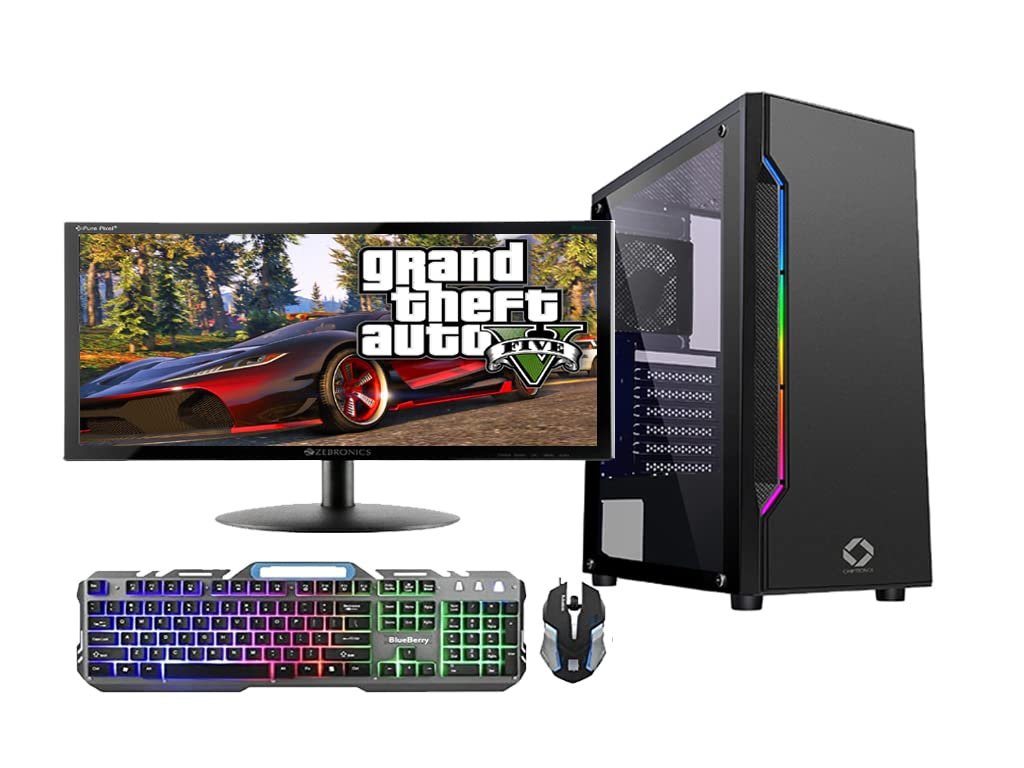
H2: Definition of Computer
A computer is an electronic machine that processes data to produce meaningful information. It performs four main actions—input, processing, output, and storage. What makes a computer unique is its accuracy, speed, and ability to work continuously without getting tired.
Basic Functions of a Computer
- Input – receiving data
- Processing – CPU performs operations
- Output – showing results
- Storage – saving data
- Control – managing all operations
Because of these functions, computers have replaced manual work in almost every field.
H2: History of Computers
The history of computers goes back thousands of years when the first calculating device, the Abacus, was invented. In the 19th century, Charles Babbage developed the Analytical Engine, earning the title “Father of Computers.”
Modern computers evolved through five generations:
- First Generation (1940–1956): Vacuum tubes
- Second Generation (1956–1963): Transistors
- Third Generation (1964–1971): Integrated Circuits
- Fourth Generation (1971–Present): Microprocessors
- Fifth Generation (Present & Future): Artificial Intelligence
Today, AI and machine learning have revolutionized computers, making them smarter and more capable than ever.
H2: Main Components of a Computer
A computer consists of two major parts—hardware and software.
Hardware Components
- CPU (Central Processing Unit)
- Monitor
- Keyboard
- Mouse
- RAM
- Hard Disk / SSD
Software Components
- Operating System (Windows, Linux, macOS)
- Application software (MS Office, Browsers, Editing tools)
- System software
Hardware allows physical operation, while software provides instructions to perform tasks.
H2: How Does a Computer Work?
Computers follow the IPO cycle—Input, Process, Output.
1. Input
Data is entered using input devices like mouse, keyboard, microphone, or scanner.
2. Processing
The CPU processes the input according to instructions.
3. Output
The result appears on devices like monitors or printers.
4. Storage
Processed information is stored for long-term or short-term use in HDDs, SSDs, or cloud systems.
This cycle happens within milliseconds, making computers extremely fast and reliable machines.
H2: Types of Computers
Computers come in several categories based on their size, power, and use.
1. Supercomputers
Extremely powerful computers used for scientific research, weather prediction, and space studies.
2. Mainframe Computers
Used by large organizations, airlines, and banks to handle massive data.
3. Minicomputers
Medium-sized computers used in companies and institutes.
4. Microcomputers
Includes desktop PCs, laptops, and tablets.
5. Personal Computers
Designed for everyday use—studying, office work, browsing, and entertainment.
H2: Uses of Computers
Computers have countless applications in today’s world.
1. Education
Online classes, digital notes, smart learning tools.
2. Banking
ATM services, online transactions, account management.
3. Healthcare
Diagnostic machines, data records, surgeries with robotic assistance.
4. Business
Billing, accounting, marketing, data analysis.
5. Entertainment
Movies, music, video editing, gaming.
6. Government Services
Digital identity, online registrations, e-governance systems.
Websites like horil.uiit.in help users understand these technologies with simple and useful explanations.
H2: Future of Computers
The future of computers looks even more advanced and intelligent.
Key future technologies:
- Artificial Intelligence-based computing
- Quantum Computers
- Holographic Display Systems
- Natural Language Processing
- Advanced Robotics
These innovations will make computers faster, smarter, and more intuitive, transforming the way humans interact with machines. Websites similar to horil.uiit.in keep users updated with such futuristic tech developments.
H2: Conclusion
Computers have become the backbone of the digital era. They simplify complex tasks, save time, and improve productivity in every sector. From personal use to global industries, computers continue to evolve and shape our future.
If you want to learn more about computers, technology, and digital tools, platforms like horil.uiit.in provide reliable and easy-to-understand information.